How to close a deceased person's Amazon account
Amazon handles closing a deceased person's account through an online form or by phone. The steps below are Amazon's own published process, taken from the provider's official support pages. HeirLoft organizes the steps to show what the provider asks for, without adding to the process or recommending any action.
- Ways to start
- Online form · Phone
- Phone
- Offered — see the steps and official page
- Documents listed
- 4 items
- Published timeline
- Not published
- Official sources
- 2 pages, verified 2026-09-14
What documents does Amazon ask for?
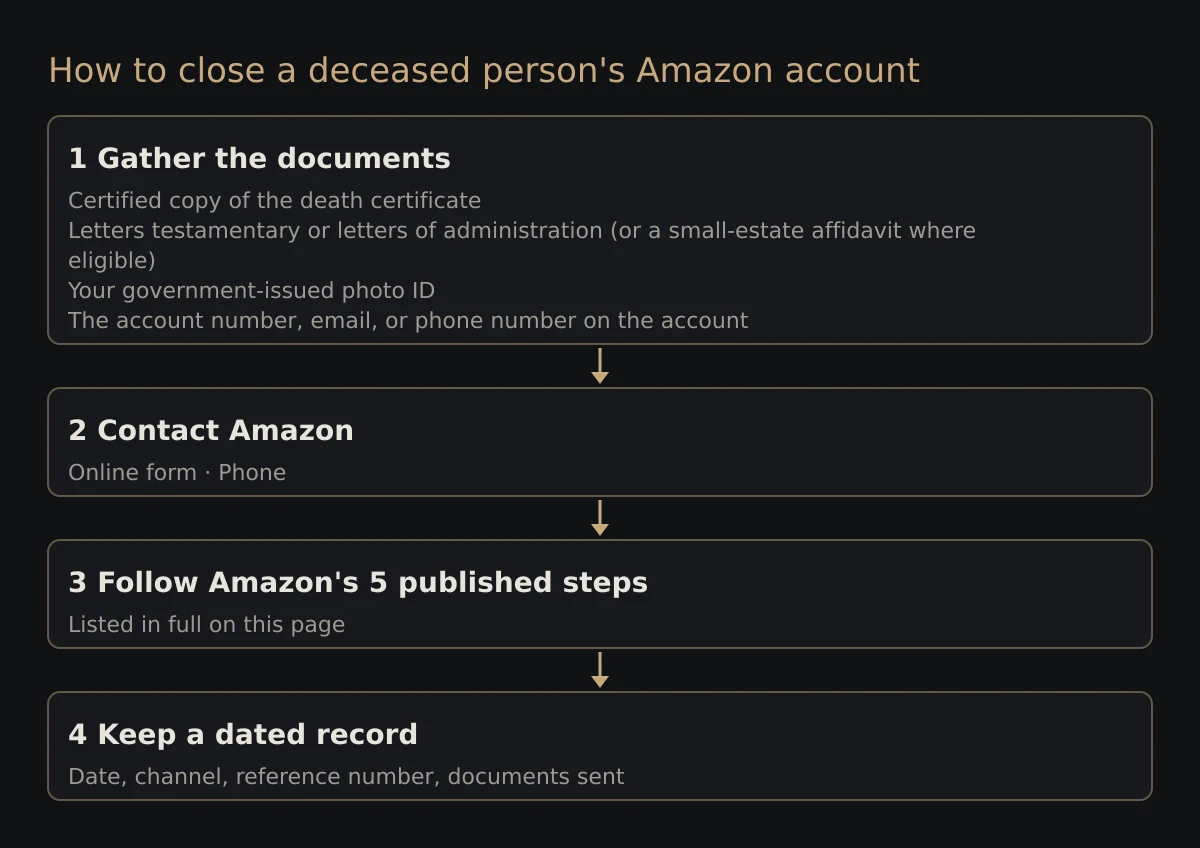
Amazon's published process lists 4 items:
- Certified copy of the death certificate
- Letters testamentary or letters of administration (or a small-estate affidavit where eligible)
- Your government-issued photo ID
- The account number, email, or phone number on the account
The attorney handling the estate decides which documents apply in your situation.
How do you close a deceased person's Amazon account?
Amazon handles a deceased person's account through an online form or by phone. The published steps, in order:
- Decide what you need: cancelling Prime (stops the recurring charge, keeps the account and digital purchases) versus closing the whole Amazon account (permanent; removes the Kindle library and other digital content).
- Contact Amazon Customer Service via the Bereavement support help page and ask for the bereavement / account-closure team — the self-service menus assume you are signed in as the account holder.
- Provide proof that you are the legal representative of the estate (probate or executor documentation, e.g. letters testamentary), a valid photo ID, and the email address or phone number on the Amazon account.
- If you do not know the login email, supply something that identifies the account, such as a unique charge ID or an order number from a package, confirmation email or card statement.
- Amazon verifies the documents, then cancels Prime and any other subscriptions (Kindle Unlimited, Audible, Music Unlimited, Subscribe & Save) and/or closes the account as requested.
Closing one account is only part of the job — every recurring charge still draws on a card or bank account the estate will eventually claim. HeirLoft reads the recurring charges out of an Outlook inbox, or a Gmail export, in one pass. You can see everything that's still billing while you work down the list.
Surface every recurring charge in one place
How do you contact Amazon?
Start from Amazon's official page for deceased accounts.
How long does Amazon take?
Amazon does not publish a typical timeline for closing a deceased person's account. Keep a dated log of each request so you can follow up with the reference number.
Notes
Amazon's Bereavement support page sits behind bot protection and could not be fetched for verification; the steps reflect that page as indexed.
Before you cancel Amazon
Subscriptions don't cancel themselves when someone dies — Amazon keeps billing whatever card or account is on file until someone stops it or the payment fails. A few checks save a second round of calls.
- Find where the billing actually happens. If Amazon was paid through Apple, Google, a cable bundle, or a phone carrier, the cancellation happens at that billing partner, not at Amazon. That's usually the reason there's no cancel option where you'd expect one.
- Check who else uses the plan. If the deceased paid for a family or household plan, other people's access can end with it. Tell them first, and ask whether the plan can move to someone else.
- Keep the account identifiers to hand. The email address or phone number on the account is the fastest way for support to locate it — the inbox receipts usually show which one was used.
- Cancel recurring charges at the source first. When a card or bank account stops working, the subscriptions billed to it fail — but they are not formally canceled, and some companies keep trying to collect. Surfacing and canceling them before the account closes is cleaner than relying on a closed account to stop them.
Keep a record as you go
Each provider runs a separate process on a separate schedule, so the work goes faster with a simple log. For every contact with Amazon, note the date and the channel you used. Record the name or ID of the person you dealt with, any case or reference number, and which documents you sent.
Some providers accept a legible photocopy of the death certificate and others insist on a certified copy, so order several certified copies early rather than one at a time. An organized record protects you as executor and makes the estate's accounting cleaner.
Frequently asked questions
Can I contact Amazon by phone?
Yes — Amazon's published process includes a phone option. The steps above and its official page give the current number.
Can I sign in with their password and close it myself?
No — use Amazon's official process. Signing in with the deceased person's password, even if you know it, is generally against the provider's terms and may be unlawful.
How can I spare my own family this process?
Leave a clear list of what exists and what you want done with each account — a record of decisions, not passwords — somewhere your family can find the list. How to leave a list of your accounts for your family
Sources
- https://www.amazon.com/gp/help/customer/display.html?nodeId=TzcJJiVFnIi3pG2yDA
- https://www.amazon.com/gp/help/customer/display.html?nodeId=GDK92DNLSGWTV6MP
Last reviewed September 14, 2026 · Links verified September 14, 2026
Related guides
Closing Amazon is one account. If the estate has several, the HeirLoft Executor Kitputs every provider's documents, contact route and published steps into one PDF, with a written-cancellation letter template and a tracking sheet for dates and reference numbers. One payment of $29, no account to create.
The simplest way to spare your own family the closure process is to keep an up-to-date list of your accounts somewhere your family can find the list. HeirLoft finds the recurring charges you've forgotten and keeps them in one place your heirs can actually use.